> For the complete documentation index, see [llms.txt](https://sensorbeeab.gitbook.io/sensorbeeab-docs/llms.txt). Markdown versions of documentation pages are available by appending `.md` to page URLs; this page is available as [Markdown](https://sensorbeeab.gitbook.io/sensorbeeab-docs/readme/sensorbee-cloud-services/device-management/sensors.md).
# Sensors
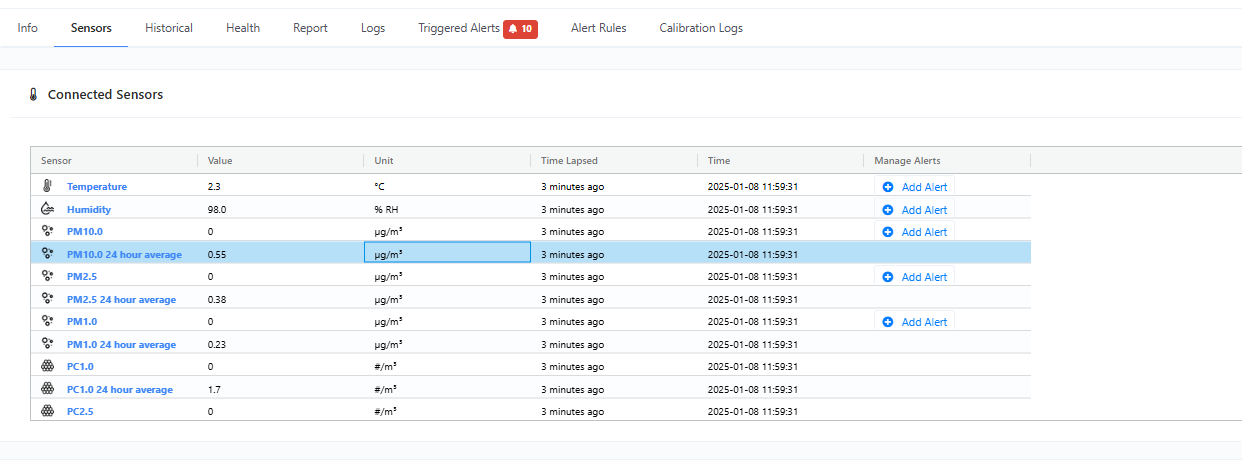
The Sensors tab allows you to view and manage the sensors connected to your device. You can see a list of all the sensors that are currently connected, as well as information about each sensor's type, sensor values, and last update.
Figure 1 - Connected SensorsThis tab also shows the tag information if your sensors are connected to your device using a tag. It consists of a list that displays the tag serial, family type, preheat, version and production year.
Figure 2 - Tag information
Additionally, this tab also includes the configuration setting for Particle and Gas Sensors. However, these settings are only available if you have Particle or gas sensors connected to your device.
#### Available Particle Settings:
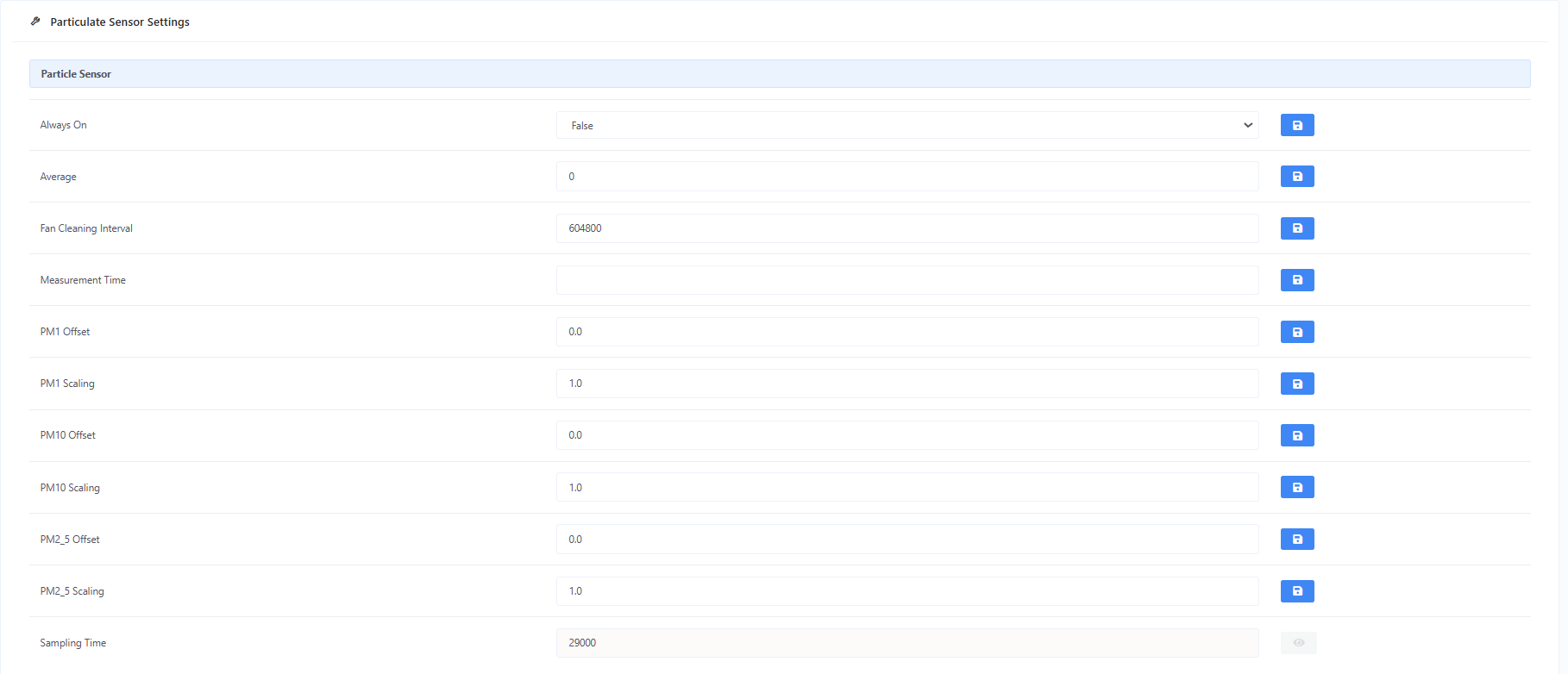
The following are the available configuration settings for Particle sensor:
Figure 3 - Particle Settings
* Always On
* Keep particle sensor running all the time, this will enable an increase in how often the particle sensor can be read. *NOTE: This will increase power consumption, external power source is recommended.*
* Average
* Number of sample results that are collected and averaged before updating the final sample value. *NOTE: Higher values increase the sampling time of the sensor.*
* Fan Cleaning Interval
* Sensor fan cleaning interval time. Value should be in seconds.
* Offset Constant
* Offset constant for the particle mass values.
* Offset Factor
* Offset factor for the particle mass values.
* Sampling Time
* How much time it takes to collect a sample from the particle sensor.
#### Available Gas Settings:
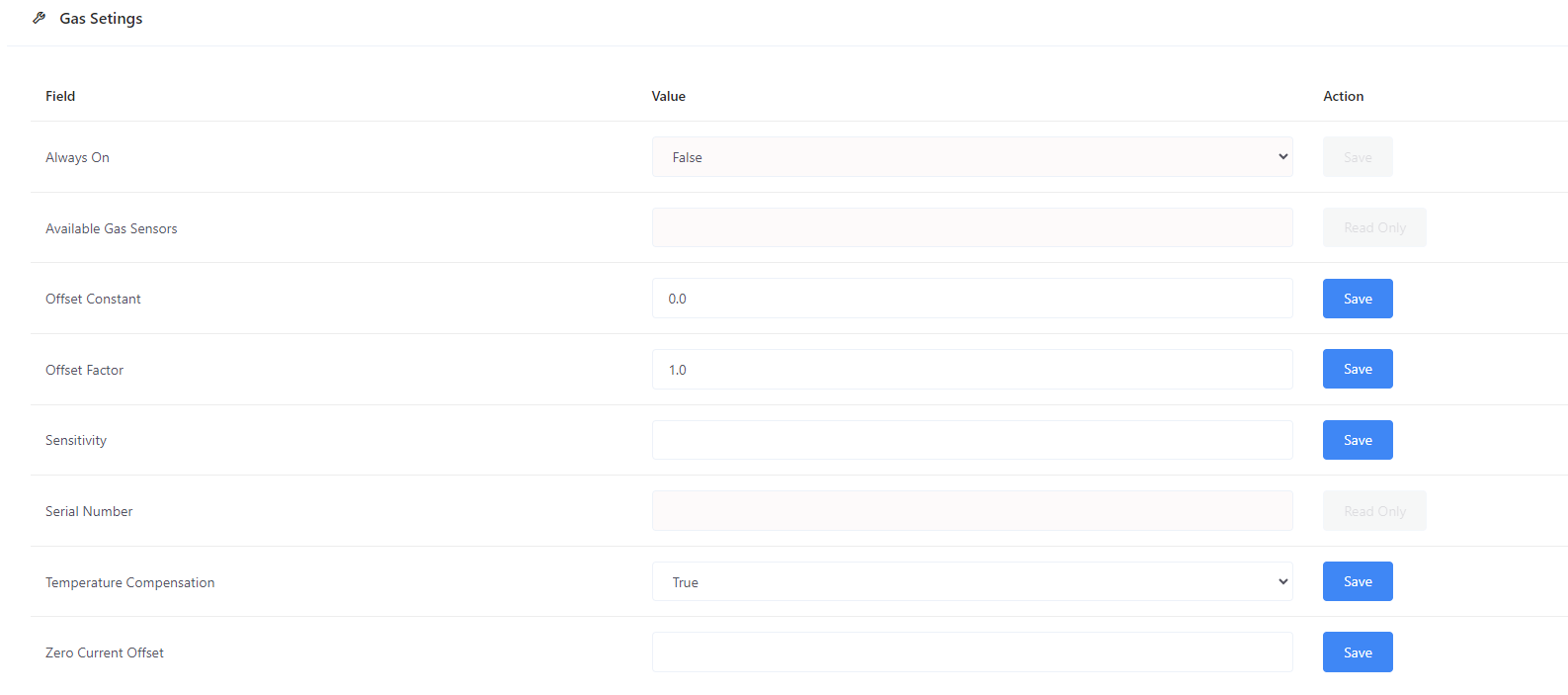
The following are the available configuration settings for Gas sensor:
* Always On
* Keep gas sensor running all the time, this will enable an increase in how often the gas sensor can be read. *NOTE: This will increase power consumption, external power source is recommended.*
* Offset Constant
* Offset constant for the output value of the gas sensor.
* Offset Factor
* Offset factor for the output value of the gas sensor.
* Sensitivity
* Sensitivity factor in nA per ppm.
* Temperature Compensation
* Flag that enables / disables temperature compensation for the gas sensor.
* Zero Current Offset
* Zero current offset in nA.