> For the complete documentation index, see [llms.txt](https://sensorbeeab.gitbook.io/sensorbeeab-docs/llms.txt). Markdown versions of documentation pages are available by appending `.md` to page URLs; this page is available as [Markdown](https://sensorbeeab.gitbook.io/sensorbeeab-docs/readme/sensorbee-air-product-manual/sensorbee-air-pro-2/quick-start-guide/5.-setting-up-cloud-service.md).
# 3. Setting up cloud service
Sensorbee Air Pro 2 Cellular comes prepared with a client account unless requested otherwise by a client.
**Pairing unit with cloud service**
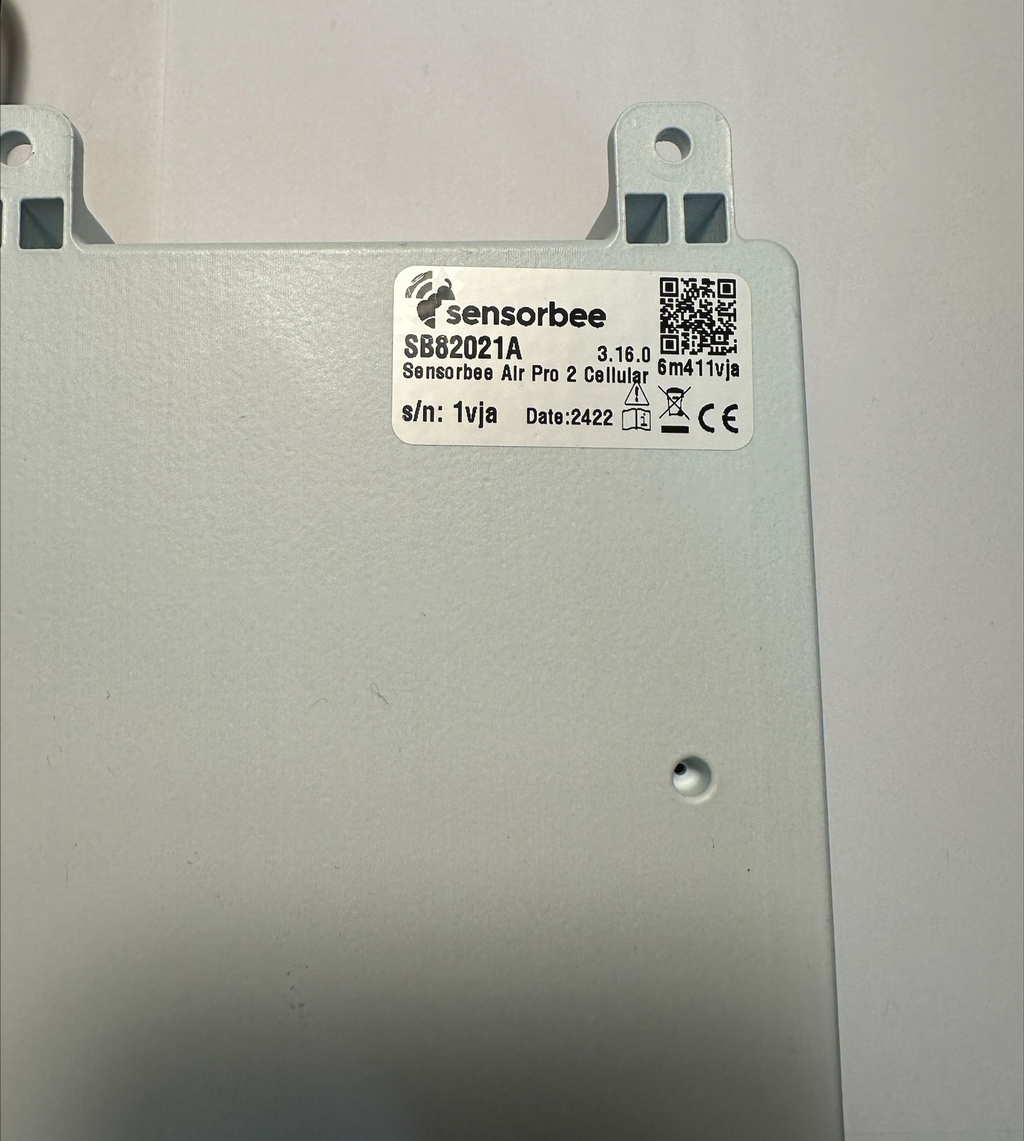
To ensure the optimal performance of Sensorbee Air products, they must be bootstrapped with an LWM2M server.On the backside of the unit, you'll find a sticker displaying the necessary configuration information. This sticker features a QR code that can be scanned with a smartphone or any device able to read QR codes. This QR code directs you to the pairing webpage. If scanning the QR code isn't an option, use the eight-digit code shown in Figure 4 as the pairing ID. If, for some reason, the sticker on the outside of the unit is flawed, you can find the pairing ID on the sticker inside the unit.
Figure 4. Label used for pairing the unit with cloud services.
Once the pairing process is complete, the unit will connect to the server. This is indicated by the status LED turning solid purple, then solid green for 1 second, before turning off. The unit is now online and ready to be used. The unit is now ready for final checks and deployment preparations. Please proceed to the next chapter.Sensorbee Air Pro 2 can support a self-hosted LwM2M server upon request.