> For the complete documentation index, see [llms.txt](https://sensorbeeab.gitbook.io/sensorbeeab-docs/llms.txt). Markdown versions of documentation pages are available by appending `.md` to page URLs; this page is available as [Markdown](https://sensorbeeab.gitbook.io/sensorbeeab-docs/readme/sensorbee-air-product-manual/sensorbee-air-pro-2/connecting-and-configuring-via-usb-c/modbus-settings-menu.md).
# Modbus Settings Menu
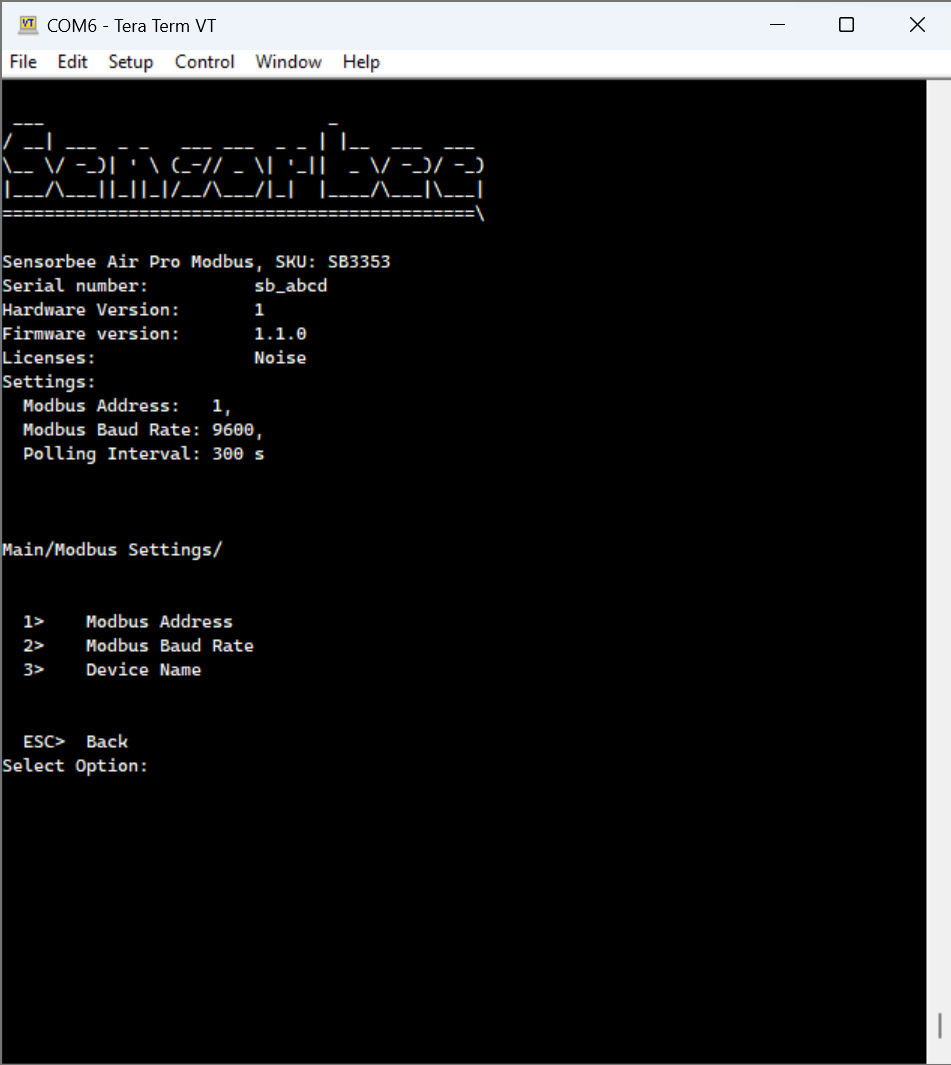
This image shows the Modbus settings screen, which is used to set up and configure your Modbus devices. You can set the following three types of Modbus-specific settings with this screen:
* Modbus address - To change the address used to communicate with the base unit through the Modbus client, set the Modbus address to your preferred value.
* Modbus baud rate - Determines the speed and robustness of communication between these devices.
* Modbus device name - Allows you to quickly identify and manage your Modbus devices, even in complex systems with numerous devices.
### 1. Modbus Address Menu
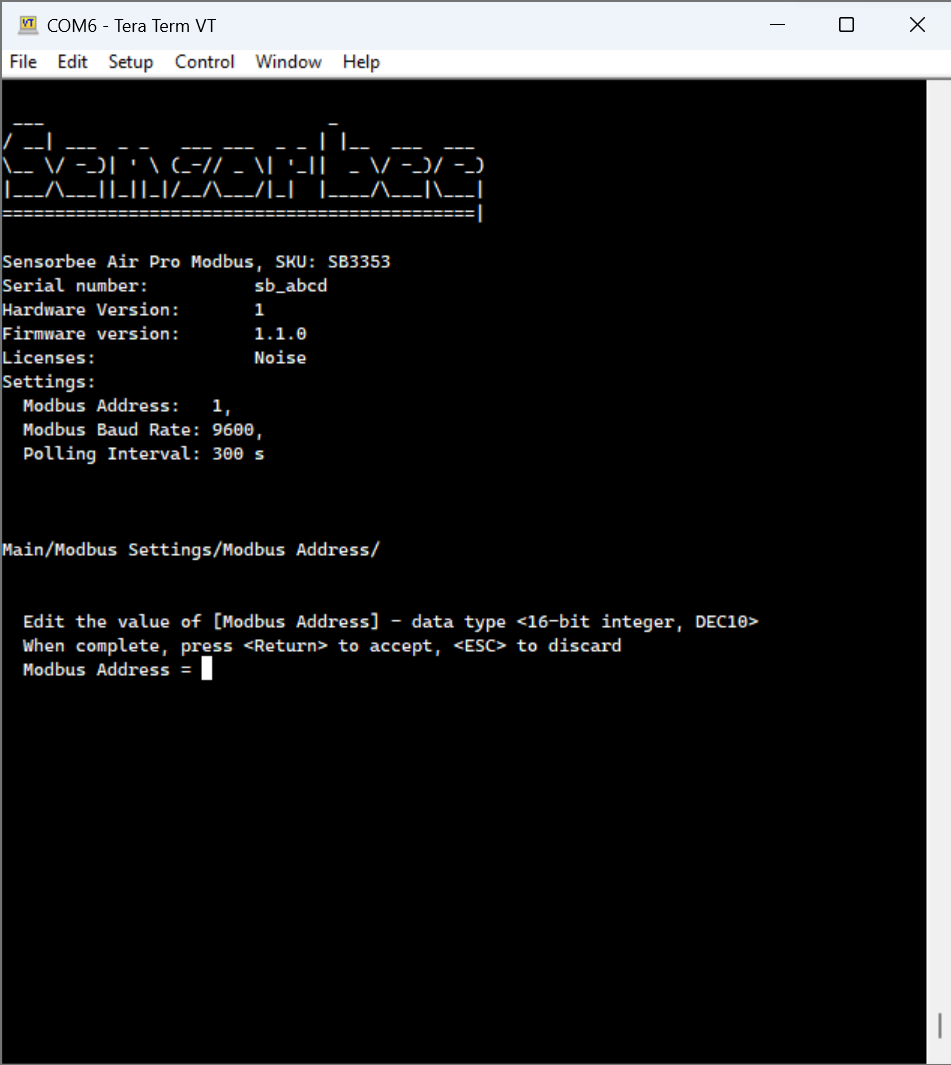
Press 1 to navigate to the Modbus address menu:
To input a Modbus address, follow these steps:
* Enter your chosen address and press the ENTER key to confirm your selection.
* Press ENTER again to save your changes once you have confirmed the address is correct.
💡If, for any reason, you need to cancel the input process and return to the previous menu, press the ESC key at any time.
### 2. Modbus Baud Rate Menu
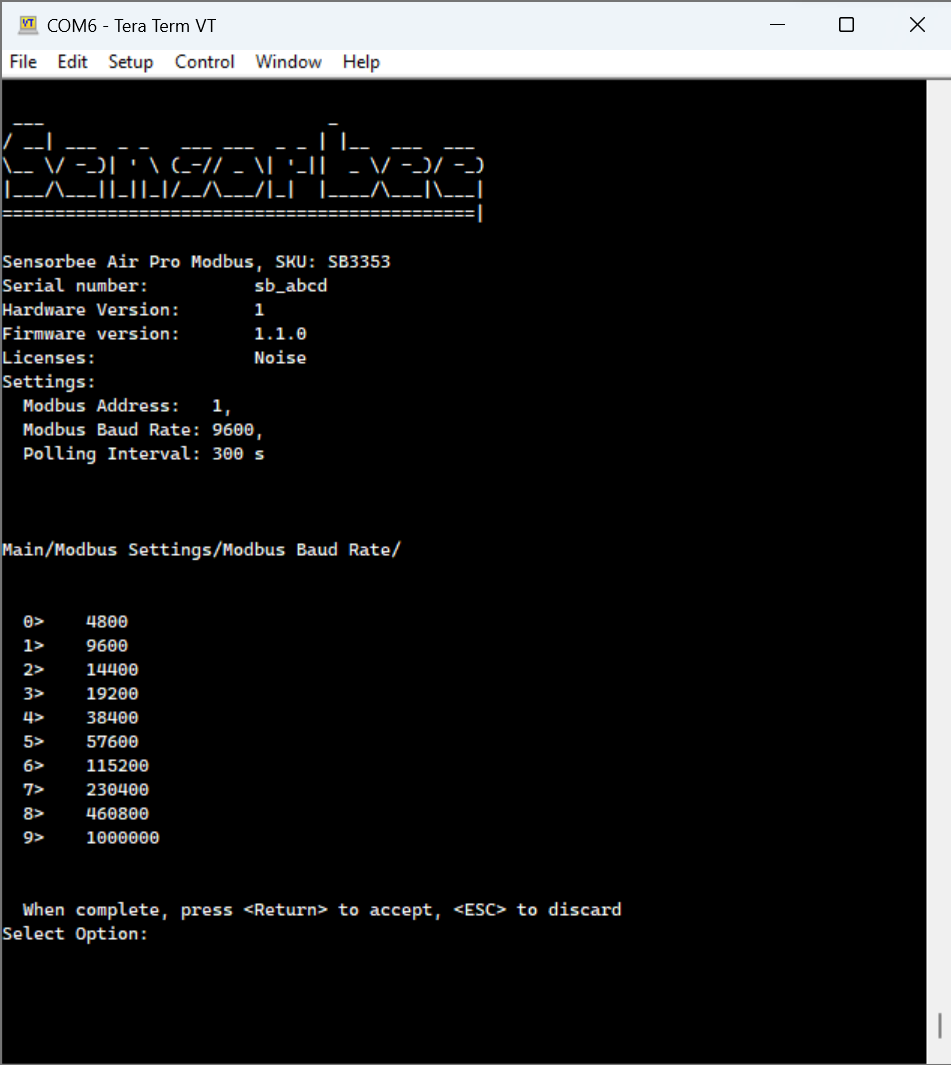
Press 2 to navigate to the Modbus baud rate menu:
Follow these steps to change the baud rate of the device:
* Select Modbus Baud Rate by pressing 2 on the keypad
* You will see nine (9) different options, each with a different baud rate. Press the number key corresponding to the desired baud rate
* Press Enter to confirm the selection
* Press ESC to discard these changes
### 3. Modbus Device Name Menu
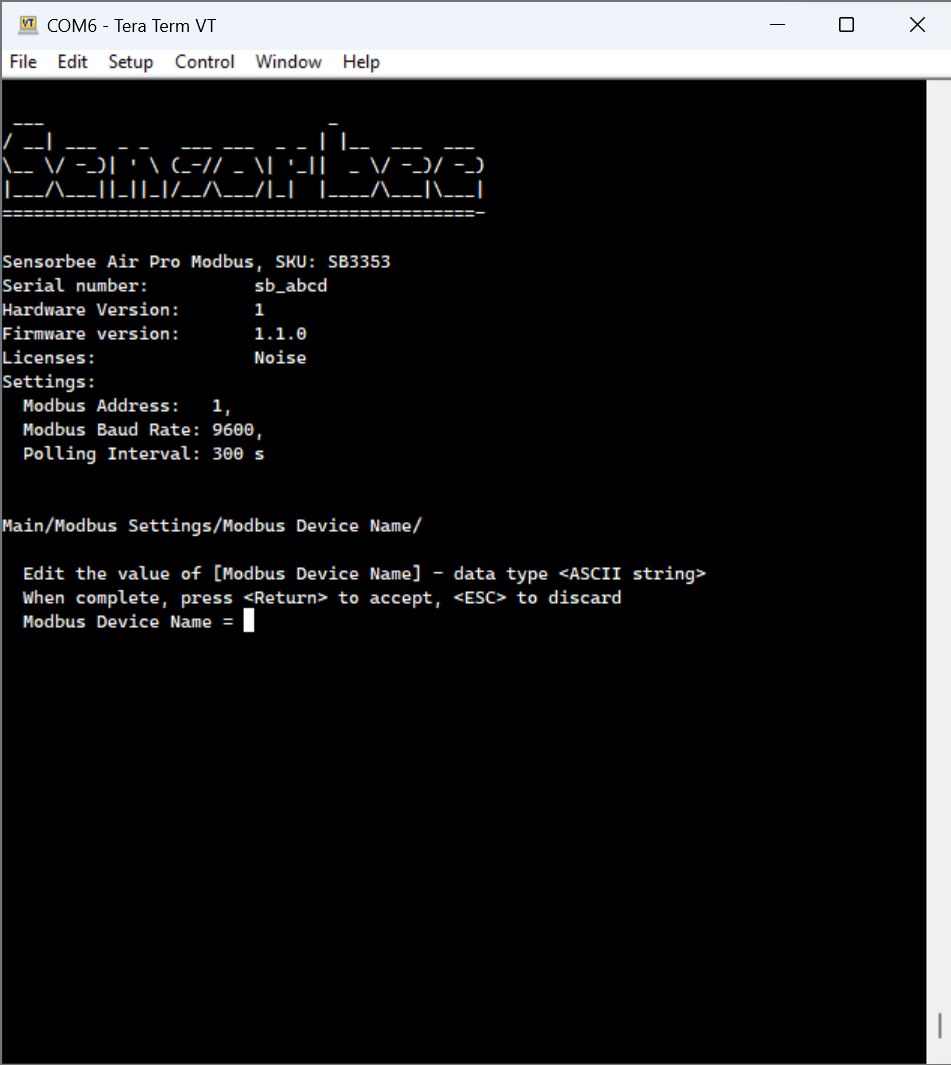
The Modbus device name is an essential identifier for your base unit, especially when managing multiple Modbus devices.The following steps describe how to add a new device name to your Modbus unit:
* Select Modbus Device Name by pressing 3 on the keypad
* Enter your chosen name for the base unit
* Press Enter to confirm your selection
* Press ESC to discard these changes
💡Remember to choose a name that is unique and easy to remember. This will help you keep track of your Modbus devices and ensure efficient system management.\\